Summary
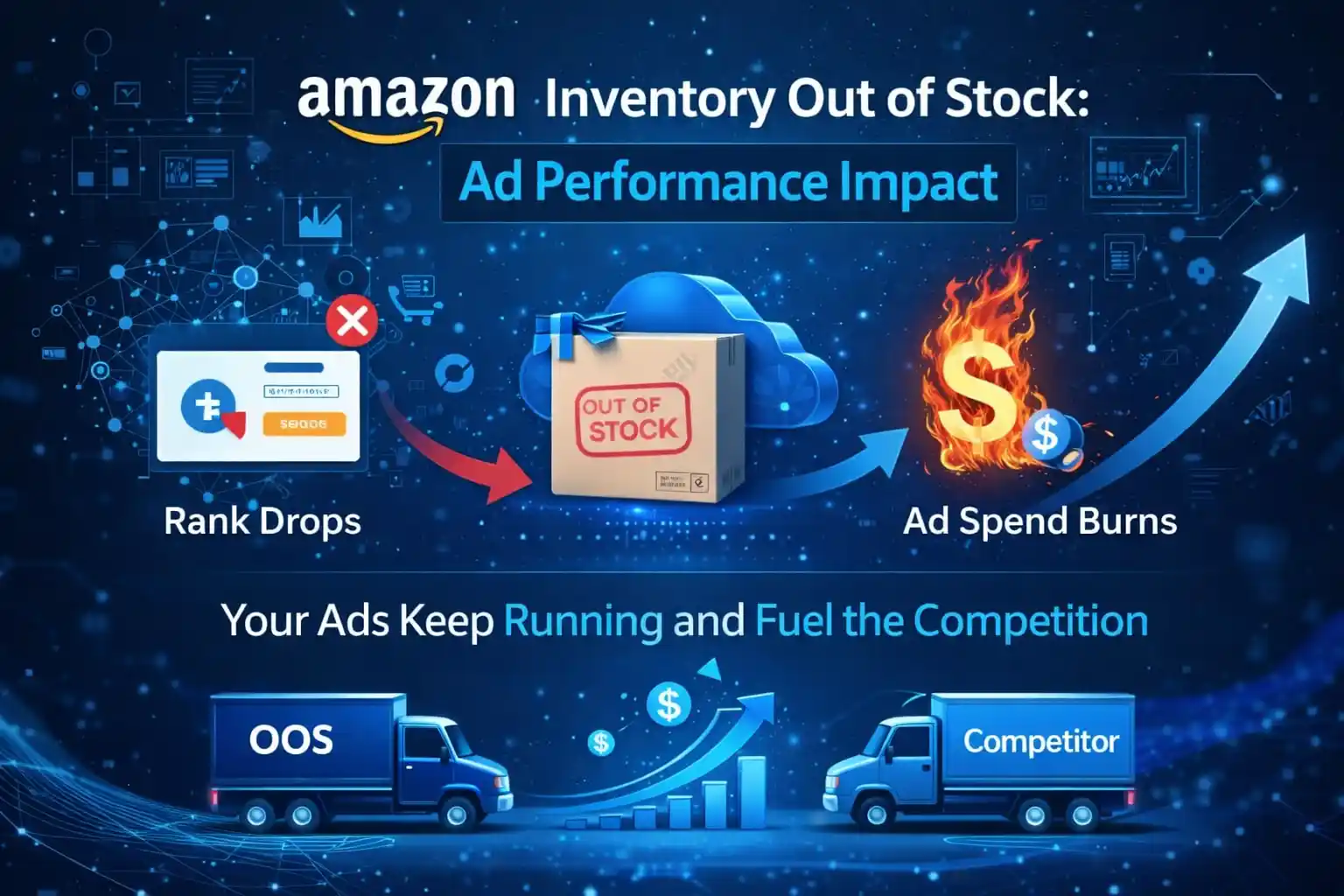
When your Amazon listing goes out of stock, your ad spend does not pause. It keeps burning while your ranking collapses. This post shows exactly how inventory gaps destroy both your PPC performance and your organic position and what to do about it.
In November, they ran out of stock for five days. Their BSR dropped from #180 to #740. Their ACOS jumped from 18% to 61%. Three weeks after restocking, their keyword rankings still had not returned to where they were before the stockout.
That is not bad luck. That is how Amazon works.
Amazon inventory out of stock does not just pause your sales. It actively degrades your ranking position, wastes your ad budget, and hands your impression share to competitors all at the same time.
Most sellers treat inventory management and PPC strategy as two separate jobs. On Amazon, they are the same job. A stockout is not an operations failure. It is an advertising failure too.
This post covers the exact chain of events that follows a stockout, what it costs beyond lost units, and how to build a restock strategy that protects both your ads and your rankings.
How Amazon’s A9 Algorithm Treats Out-of-Stock Listings
Amazon’s A9 algorithm ranks products based on one core signal: the likelihood of a purchase.
To calculate that likelihood, A9 measures sales velocity how many units your ASIN sells per day, per week, and per month. When your listing goes out of stock, that velocity drops to zero. The algorithm reads zero sales as zero demand. It demotes your listing accordingly.
This happens in two phases:
- Immediate impression loss Amazon stops showing your listing in search results the moment inventory hits zero. You do not gradually fade. You effectively disappear from the search page for customers who cannot buy.
- Algorithmic demotion Even after you restock, the algorithm does not instantly restore your previous ranking. It needs new sales data to rebuild its confidence in your listing. That process takes days to weeks, depending on competition level and your historical conversion rate.
Your Best Seller Rank (BSR) is also directly tied to recent purchase frequency. A 5-day stockout in a competitive category can push your BSR from the top 1% to the top 5%. Getting back to your previous position requires outpacing competitors who continued selling throughout your downtime.
FBA SELLERS: BUY BOX ELIGIBILITY If you fulfil through FBA, Amazon suspends your Buy Box eligibility the moment your inventory count reaches zero. Without the Buy Box, any remaining organic visibility converts at a fraction of its normal rate. If you also have an FBM backup listing, Amazon may transfer the Buy Box there but only if FBM is set up in advance.
What Happens to PPC Ads When You Go Out of Stock
Amazon does not automatically pause your Sponsored Products campaigns during a stockout. Your ads keep running. Your budget keeps spending. And almost none of those clicks convert.
Here is what happens to your advertising account across three areas:
1. Wasted Ad Spend
Clicks continue to arrive on a listing that cannot fulfil the purchase. Your conversion rate crashes sometimes to zero while your cost-per-click stays the same. Every dollar spent during a stockout is a dollar that generates no return and no sales signal for A9.
| ~0% Conversion rate on OOS listing | 3–5× Typical ACOS inflation during stockout | $0 Revenue generated per click |
2. Ad Quality Score Damage
Amazon’s advertising system monitors the relationship between impressions, clicks, and conversions for every campaign. When impressions and clicks are high but conversions are near zero, the system interprets this as poor relevancy.
That interpretation hurts your campaigns after you restock. Your ads re-enter the auction at a disadvantage because their recent performance history is weak. You need to spend more to regain the placement you had before the stockout.
3. Competitor Impression Gain
Your impression share does not disappear when you go out of stock. It reallocates. Competitors in your category pick up the impressions your listing was capturing. They gain click history, conversion data, and ranking momentum all while you are offline.
In competitive niches, a 5-day stockout can shift enough impression share to a competitor that they hold a higher ranking than you even after you return.
Should You Pause PPC During a Stockout?
| Campaign Type | Recommended Action |
| Sponsored Products | Pause immediately. There is no scenario where running SP ads on an out-of-stock listing produces a positive outcome. |
| Sponsored Brands | Reduce budgets by 70–80% but consider keeping a minimum active if you are running brand awareness for other in-stock ASINs under the same brand. |
| Sponsored Display | Pause unless you are running retargeting to drive traffic to other in-stock products in your catalogue. |
IPI SCORE WARNING Repeated stockouts lower your Inventory Performance Index (IPI) score in Seller Central. A score below Amazon’s threshold restricts your FBA storage limits meaning future shipments can get capped at exactly the moment you are trying to recover.
The Real Cost of a Stockout (Beyond Lost Sales
Most sellers calculate stockout loss the wrong way. They look at units not sold and multiply by price. That gives you one number. The actual cost is three to four times higher.
Here is a realistic cost breakdown for a mid-volume FBA seller running $50/day in ad spend:
| Cost Category | How It’s Calculated | Estimated Impact |
| Lost sales revenue | 5 days × average daily revenue | $750–$1,200 |
| Wasted ad spend | 5 days × $50/day | $250 |
| Post-restock recovery bids | Additional spend to regain rank | $300–$500 |
| Lost review opportunities | Fewer purchases = fewer review prompts | Indirect difficult to quantify |
| Competitor rank gains | Share lost that may not fully return | Ongoing category-dependent |
KEY TAKEAWAY A 5-day stockout at $50/day ad spend does not cost you $250. It costs you $250 in wasted spend plus $300–$500 in recovery bids, plus whatever revenue gap opened between you and the competitor who took your ranking.
One additional cost sellers overlook: review momentum. Amazon’s purchase-to-review conversion rate is roughly 1–2%. Every unit you do not sell during a stockout is a review you will never receive. In a competitive category, reviews compound into ranking advantage.
Amazon Restock Strategy: Preventing Stockouts Before They Happen
The best stockout recovery is the one you never need. These three frameworks give you visibility into inventory levels before they become a crisis.
Set a Reorder Point Based on Sales Velocity
Your reorder point is the inventory level that triggers a new purchase order. Most sellers set it too low.
| REORDER POINT FORMULA Reorder Point = (Average Daily Sales × Supplier Lead Time in Days) + Safety Stock Example: If you sell 12 units/day and your supplier needs 21 days to deliver, your reorder point is (12 × 21) + 84 = 336 units. That safety stock number assumes 7 extra buffer days. |
Pull your Average Daily Sales from Seller Central > Reports > Business Reports > Sales and Traffic by ASIN. Use a 30-day average for stable products. Use a 14-day average for seasonal or trending products where velocity is accelerating.
Use Amazon’s ‘Days of Supply’ Metric
Amazon shows you a projected Days of Supply figure for each ASIN inside Seller Central > Inventory > Inventory Dashboard. This number tells you how many days your current stock will last at your current sales rate.
- Set a restock alert when Days of Supply falls below: Lead Time + 7 buffer days.
- For Q4 (October–December), double your buffer. Carrier delays and demand spikes are both common.
- If Days of Supply ever drops below your lead time, place an emergency order and pause ad spend immediately to slow sales velocity until stock arrives.
Build a Pre-Stockout PPC Response Plan
Do not wait until you are at zero units to act. Set a tiered response plan based on inventory levels:
| Inventory Level | Status | PPC Action |
| 30–45 days of supply | Normal operations | Run campaigns at standard budgets and bids |
| 14–29 days of supply | Early warning | Reduce bids by 20–30% across all SP campaigns |
| 7–13 days of supply | High alert | Reduce bids by 50%, pause auto campaigns |
| Below 7 days of supply | Critical | Pause all SP campaigns. Reduce SB budgets by 70% |
| Zero inventory | Stockout | Pause all campaigns immediately. Place emergency restock order |
How to Recover Rankings and Ad Performance After a Stockout
The instinct after restocking is to turn everything back on at full spend. Resist it.
Your listing re-enters Amazon’s ranking system with a weaker recent conversion history. If you blast full bids immediately, you pay premium CPC rates for clicks that convert below your historical baseline and you signal poor performance to the algorithm again.
Use this 3-phase recovery sequence instead:
| WEEK 1 | Restock & Stabilise |
| → Confirm all FBA units are received and listing status is ‘Active’ in Seller Central. → Re-enable Sponsored Products at 50% of your pre-stockout bids. → Focus spend on exact-match campaigns for your top 3–5 highest-converting keywords only. → Do not run broad or auto campaigns yet. Irrelevant clicks will tank your conversion rate further. → Monitor conversion rate daily. You want it trending back toward your 30-day pre-stockout baseline. |
| WEEK 2 | Rebuild Conversion Rate |
| → Once your CVR reaches 80% of your pre-stockout baseline, begin increasing bids. → Increase bids incrementally 10–15% every 2–3 days, not all at once. → Re-enable phrase-match campaigns. Keep auto campaigns paused. → Watch your Search Term Report for competitor keywords that captured share during your absence. → Your organic ranking will still lag your ad performance by 7–10 days at this stage. That is normal. |
| WEEKS 3–4 | Regain Full Position |
| → Reintroduce broad-match and auto campaigns at conservative budgets. → Use your Search Term Report to identify any new high-converting terms competitors exposed. → Target those terms in exact-match campaigns to recapture lost ground. → If BSR has not returned to pre-stockout levels after 4 weeks, consider a temporary bid increase of 20–30% on your primary keywords to accelerate sales velocity. → Review your IPI score in Seller Central. If it dropped below threshold, address storage limits before scaling spend. |
| TIMELINE REALITY CHECK Organic ranking recovery typically lags ad performance recovery by 1–2 weeks. Ad performance (CVR, ACOS) usually normalises within 10–14 days post-restock. Organic keyword ranking can take 2–4 weeks depending on category competition level. Plan your budget accordingly the recovery period requires more spend than normal operations. |
Conclusion
Amazon inventory out of stock is not a temporary inconvenience. It is a compound event that hits your organic ranking, your ad campaign quality, your Buy Box eligibility, and your IPI score all at once.
The sellers who avoid this cycle treat inventory planning as part of their advertising strategy not a separate operational concern. They set reorder points based on actual sales velocity. They have tiered PPC response plans that activate before stock runs out. And when a stockout does occur, they rebuild methodically rather than flooding spend back immediately.
If your current workflow separates the person managing your ads from the person managing your inventory, that gap is costing you more than you can see in any single report.
Frequently Asked Questions
Yes — and it affects both types of ranking simultaneously. Your Best Seller Rank drops because Amazon calculates BSR on recent purchase frequency. Your keyword ranking drops because A9 deprioritises listings that cannot fulfil demand. Neither ranking recovers automatically when you restock. Both require new sales data to rebuild.
Yes, pause Sponsored Products immediately. Running SP ads on an out-of-stock listing generates clicks with zero conversion wasting budget and damaging campaign performance history. For Sponsored Brands, reduce budgets significantly but consider keeping a minimal spend active if other ASINs in your brand remain in stock.
Yes, pause Sponsored Products immediately. Running SP ads on an out-of-stock listing generates clicks with zero conversion wasting budget and damaging campaign performance history. For Sponsored Brands, reduce budgets significantly but consider keeping a minimal spend active if other ASINs in your brand remain in stock.
For most categories, ad performance (ACOS, CVR) returns to baseline within 10–14 days post-restock if you use a structured bid recovery plan. Organic keyword ranking typically takes 2–4 weeks. In highly competitive niches with 500+ competing ASINs, full ranking recovery can take 4–6 weeks and require sustained above-normal ad spend.
A minimum 30-day buffer covers most standard lead times. For Q4 (October–December) and for ASINs with unpredictable demand spikes, target a 45–60 day buffer. For seasonal products with long manufacturing lead times, plan 90 days of supply before your peak selling window begins.