Many Amazon sellers watch ACoS every day, yet their profit still stays flat. The reason is simple. ACoS only shows how your ads perform. It does not show how healthy your whole business is. If you want to reduce TACoS on Amazon, you need to look at the bigger picture.
In this guide, we explain what TACoS is and why it matters. Then we share nine strategies we use to cut it without losing growth.
What Is TACoS on Amazon?
TACoS stands for Total Advertising Cost of Sales. It compares your ad spend to your total sales, which means both ad-driven and organic sales.
TACoS = Ad Spend ÷ Total Sales × 100
For example, you spend $3,000 on ads and earn $30,000 in total sales. Your TACoS is 10%.
TACoS vs ACoS: What’s the Difference?
ACoS divides ad spend by ad-attributed sales only. TACoS divides it by all sales.
This difference matters. A product can show a high ACoS and still be very healthy. That happens when your ads lift organic rank and organic sales grow with them. In that case, TACoS falls even while ACoS looks high.
That is why we focus on profit rather than ROAS alone. If you want a quick refresher on common errors first, read our post on 7 Amazon PPC mistakes that are wasting your budget.
Why a High TACoS Hurts Your Business
A high TACoS means too much of your revenue goes back into advertising. As a result, your margin shrinks, and you have less cash for inventory and growth.
Still, a high TACoS is not always bad. During a product launch, a higher TACoS is normal because you are buying visibility and rank. The goal is to bring it down steadily as organic sales grow.
9 Strategies to Reduce TACoS on Amazon
1. Know Your Break-Even and Target Numbers
First, calculate your break-even ACoS from your real margin. Include the product cost, Amazon fees, shipping, and returns. Then set a target TACoS for each product based on its stage: launch, growth, or mature.
Without these numbers, every optimization is a guess.
2. Audit Your Account and Cut Wasted Spend
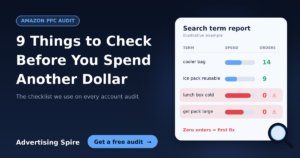
Wasted spend is the fastest way to lower TACoS. Start with your search term report. Add negative keywords for terms that get clicks but no orders. Next, pause targets that spend a lot and convert poorly.
A structured Amazon listing and PPC audit will find these leaks quickly. It also shows where your listing is hurting conversion.
3. Rebuild Your Campaign Structure Around Goals
Many accounts mix brand, competitor, and discovery keywords in one campaign. Consequently, budgets go to the wrong places, and reporting becomes unclear.
Instead, separate campaigns by purpose:
- Branded: protect your own brand terms.
- Exact match: scale proven winners.
- Discovery: test new keywords and ASINs at lower bids.
- Defensive: guard your own product pages from competitors.
When every campaign has one job, you can judge it fairly.
4. Move Budget to Your Winners
Often, brands underspend on their best products and overspend on weak ones. Review performance each week. Then shift budget toward keywords and ASINs that bring profitable orders. Reduce bids where the return is poor.
5. Improve Your Listing to Lift Conversion
Higher conversion lowers your cost per sale. In turn, this lowers TACoS. Check these elements on every main product:
- A clear, keyword-rich title
- Strong main and secondary images
- A+ Content and Brand Story
- Healthy reviews and ratings
- Competitive pricing and coupons
Remember that ads send traffic, but your listing closes the sale. Poor listings make every click more expensive.
6. Use Ads to Build Organic Rank
Good PPC supports organic ranking. When your ads drive sales on your top keywords, your organic position often improves. Then organic sales rise, and the same ad spend becomes a smaller share of total revenue.
Track your organic rank for your core keywords alongside ad data. If rank improves, TACoS usually follows.
7. Bid for Profit, Not Just Clicks
Cheap clicks do not equal profit. Instead, set bids using margin, TACoS targets, and customer lifetime value (CLTV). A product with strong repeat purchases can justify a higher acquisition cost than a one-time item.
This profit-first approach is the core of our Amazon PPC management service.
8. Sync Ads with Your Inventory
Running ads on products that are about to sell out wastes money. You also risk losing rank when stock runs out. Therefore, align your ad budgets with stock levels and lead times.
Our supply chain forecasting service connects inventory planning with ad spend, so you never pay for traffic you cannot fulfill.
9. Expand Beyond Sponsored Ads
Once your core campaigns are efficient, look for new growth channels. Amazon’s demand-side platform reaches high-intent audiences beyond search results. Similarly, Walmart PPC lets you scale outside Amazon. Both help you grow without leaning only on one ad type.
Before you launch a new product, you can also use product validation to test demand first.
How Long Does It Take to Lower TACoS?
TACoS is not a quick-fix metric. Usually, you will see early gains from cutting waste within a few weeks. Meanwhile, the gains from better rank and conversion build over several months.
Because of this, track TACoS weekly and review trends monthly. Avoid reacting to one-day swings. For helpful tools to monitor your account, see our discounted tools.
Real Results from Profit-First PPC
When a strategy focuses on total profit, the numbers change. In one case, we overhauled a brand’s full catalogue and delivered a 206% increase in sales. In another, a supplements brand grew sales by 316% and profit by 200% in twelve months. You can read more in our Amazon case studies.
Frequently Asked Questions
What is a good TACoS on Amazon?
There is no single number. A good TACoS depends on your margin, category, and product stage. Launch products often run higher, while mature products should run lower. Set a target based on your break-even point.
Can TACoS be lower than ACoS?
Yes. TACoS divides by total sales, so it is almost always lower than ACoS when organic sales exist.
Should I stop ads to lower TACoS?
No. Cutting all ads often lowers rank and total sales. Instead, remove wasted spend and keep ads on profitable targets.
What is the difference between TACoS and ROAS?
ROAS measures revenue per ad dollar on ad sales only. TACoS measures ad cost against all sales, so it reflects total business health.
Ready to Lower Your TACoS?
Reducing TACoS takes data, testing, and steady optimization. If you want expert eyes on your account, our team can help. As an Amazon Ads Verified Partner, we have managed over $80M in ad spend across 70+ categories.
Claim your free listing and PPC audit and see exactly where your budget is leaking. You can also explore more tips on our blog.